
Overlaying iCal Calendars with Outlooks so you can see both Personal & Business Events
You can easily share your iCal Calendars so they are overlayed in Outlooks calendar, however the propose new time function cannot see events from those calendars, but you can see them visually. There are quite a few steps but it's not too difficult.
In iCal right click the calendar you want to share
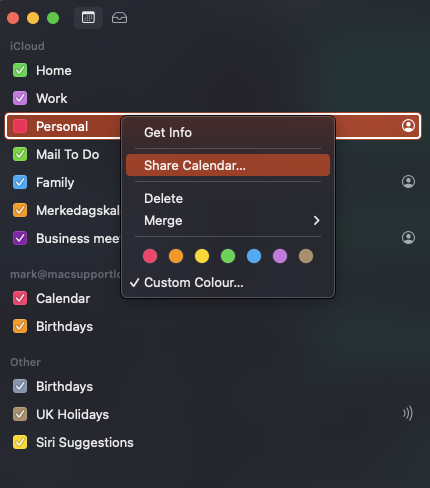
Then check the Public Calendar icon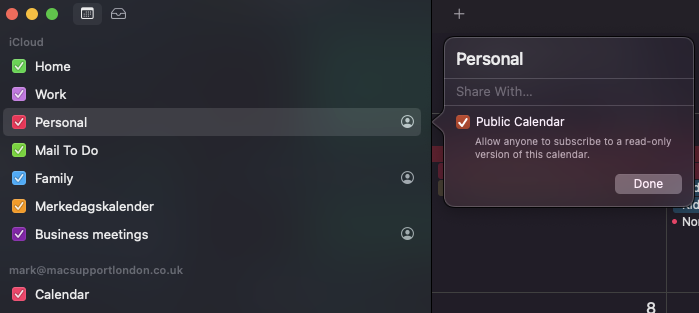
Then click the icon that looks like a person in a circle (in the picture above), then click the sharing icon highlighted here and select Messages
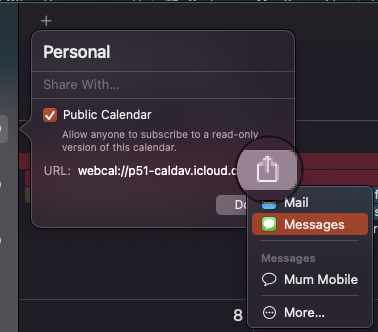
This Invitation will pop up but we just need that long bit of text, copy it using cmd+c

Go to Outlook via a web browser and log in and select calendar, then Add Calendar

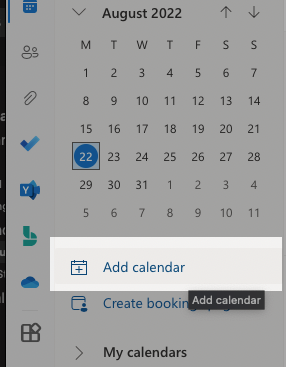
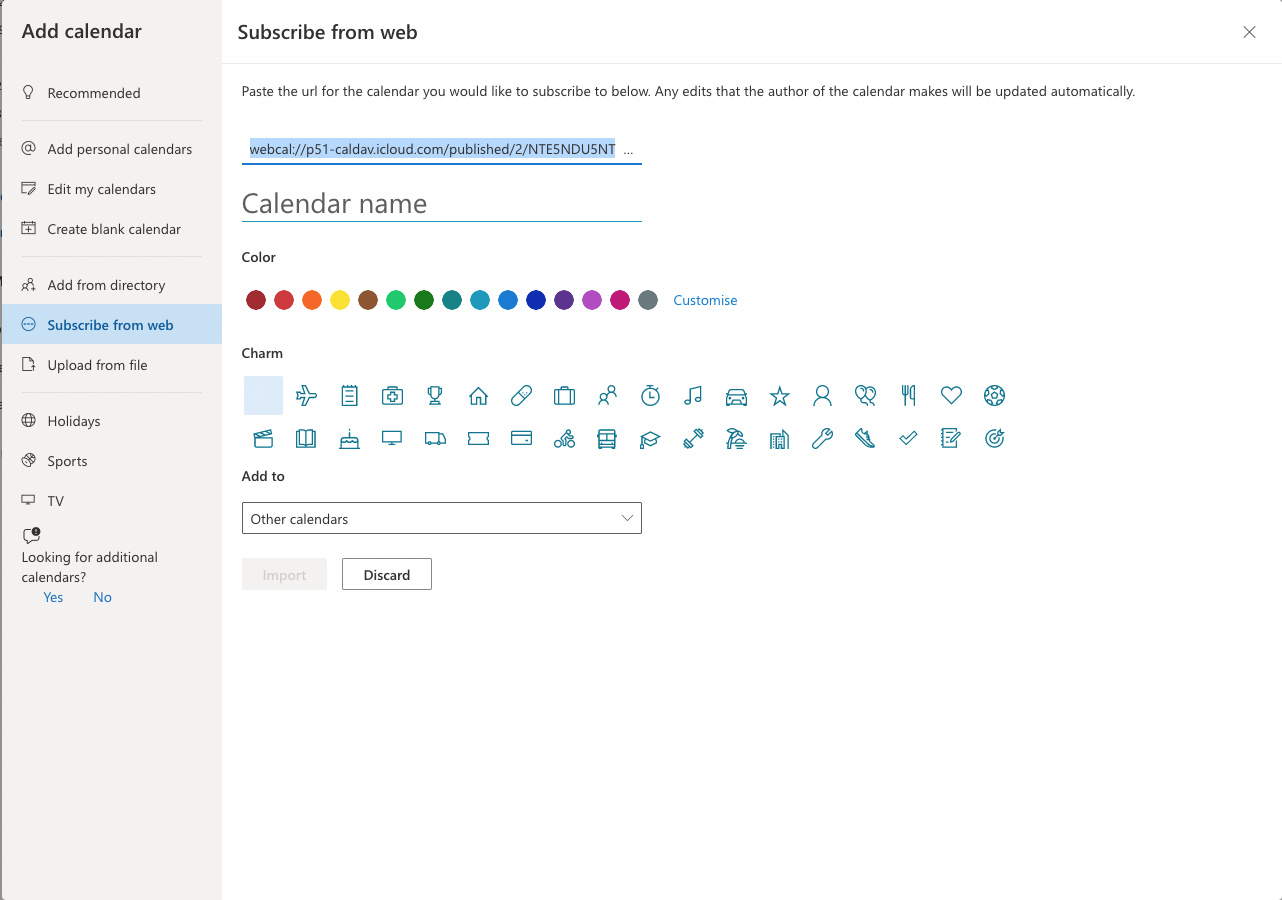
At this next screen select Subscribe from web and paste cmd+v your text as in the picture, give your calendar a name, choose a colour and click import. It's best to have Add to set as Other calendars then click Import.
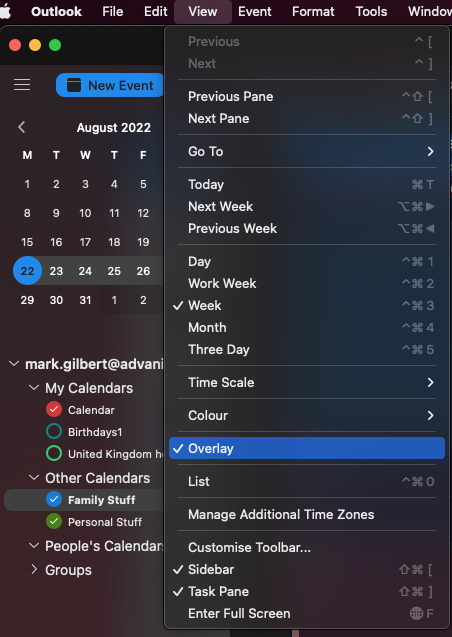
Close the web browser and open Outlook and go to the calendar area, in the main menu click View and select Overlay
0 Comments